
Residential community app: how to replace chaotic group chats
Group chats are useful for quick messages, but they are not built to manage a residential community. A dedicated app separates conversation, decisions and follow-up.
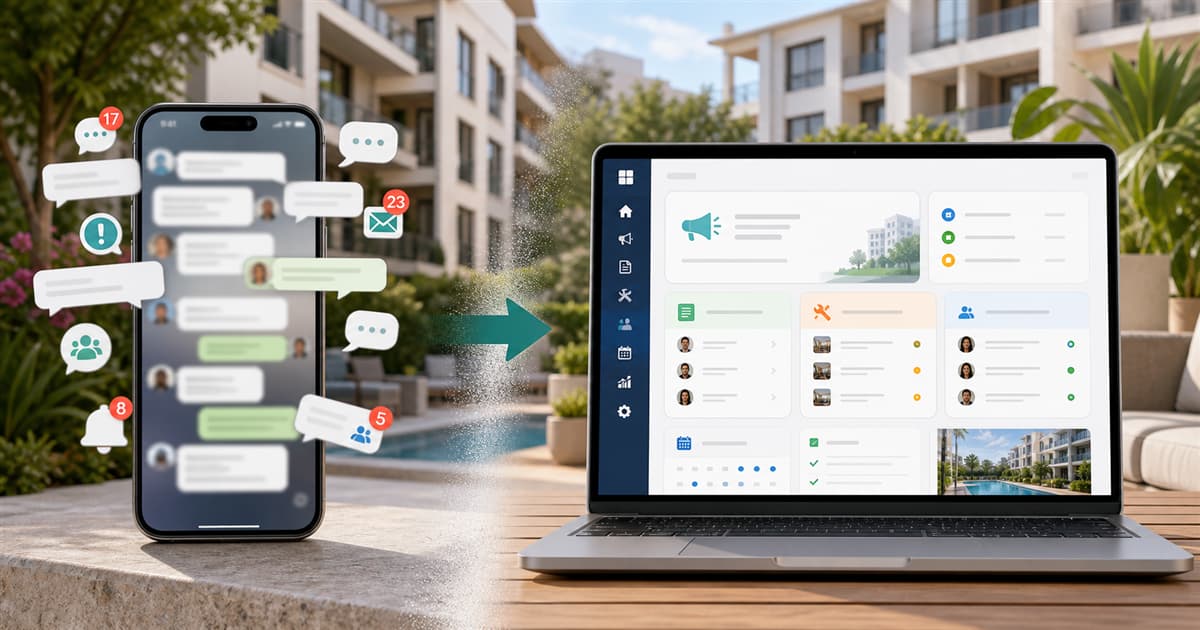
Many communities start with a group chat because it is immediate. The elevator breaks, someone asks about cleaning, a meeting is announced or a shared expense is discussed. For a while, it feels enough. Then come crossed messages, residents who miss key updates, repeated reports and decisions that are hard to find.
The problem is not chat itself. The problem is using chat as archive, noticeboard, incident tracker, meeting memory, booking calendar and help desk. A community needs conversation, but it also needs structure.
What gets lost in chat
- Important notices get mixed with everyday comments.
- There are no clear statuses for open, in-progress or resolved issues.
- Decisions depend on searching old messages.
- New residents do not have context from past issues.
- The president becomes the manual filter for every conversation.
What a community app should include
A good residential community app should be more than a wall of posts. It should support the real flows of the building: official announcements, resident notes, incidents, directory, roles, permissions, staff, time tracking and shared area bookings when needed.
- Official announcements from the president or manager.
- Public and private notes between residents, with unit context.
- Incidents with priority, status and history.
- Residents, homes, invitations and role management.
- Operational modules for staff, time tracking and tasks.
- Common area bookings with calendars and rules.
The benefit for community presidents
The president should not have to remember who reported an issue, when someone replied or which provider was pending. When each topic has a place, the role becomes easier: fewer duplicate messages, better visibility and a more professional way to support residents.
The benefit for residents
For residents, the app works as a simple portal. They can read announcements, send a note, report a problem or book a shared space without asking which channel to use. Important information no longer depends on watching the chat at the right moment.
HabitaliApp as the community hub
HabitaliApp is designed for residential communities, presidents and buildings that want to organize daily operations without a heavy implementation. It connects resident communication, incidents, staff, time tracking, vacations, tasks, documents and shared area bookings.
Chat can still exist for informal conversation. The difference is that topics requiring follow-up live in HabitaliApp, with statuses, permissions and history.
Start with your community
Register in HabitaliApp, create your building and invite residents and workers. In a few minutes, you can move from scattered conversations to a community with organized announcements, incidents and tasks.
FAQ
Does a community app replace the group chat completely?
Not necessarily. Chat can remain useful for informal conversation, while the app stores announcements, incidents, bookings, tasks and data that need follow-up.
Is HabitaliApp useful for small communities?
Yes. Small communities also have incidents, announcements, residents, workers or bookings. Starting organized prevents operational debt later.
Do residents need technical knowledge?
No. Residents can access from mobile or browser to read important updates and use the basic community workflows.